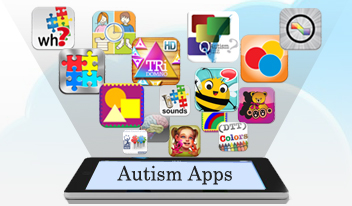
It?s no secret there are many more cases of diagnosed autism in children today. These children need much more attention in order to overcome the challenges that they face with this disorder, and now the old saying ?There?s an app for that,? will allow parents to use apps in order to assist their children in a whole new way.
Brain Power, a Cambridge, MA, start up, has developed Google Glass apps to help assist autistic children with developing their social skills, and communication skills, while providing much needed feedback to their parents, teachers, or caregivers. Developed by neuroscientist Ned T Sahin, Google Glass (Empowered Brain Suite for Autism), focuses on the use of games and paly in order to teach autistic kids to interact with their parents and others. Apps helping autism is kids will not only aid children and their caregivers, but also assist and encourage autistic kids with making eye contact, and also give teachers and parents feedback on how well the children are engaging with other by utilizing social engagement monitors. This is crucial when evaluating a child?s progress.
Google Glass is an ideal app helping autistic kids, as it has a chip which enables head gestures, which then allows data to be recorded on how often the children are engaged with their parents, and how much progress they are making with looking at their parents or other caregivers. Google Glass also plans to explore language in the future, by identifying an object, then speaking it through an ear bud that the child wears.
Needless to say, using play, games, and fun activities with children has always been a valuable educational tool, and it has now become even more useful when trying to encourage children with disabilities. Way to go Google Glass! We here at Geek Choice salute you! Smartphone apps have now become a tool that can change the life of a child with disabilities, and improve how they function in life later on.
New Years Resolutions are everywhere this time of year. Everyone else makes them, but when it comes down to actually doing it, people rarely follow through. Those of us that frequent our local gym, will have it inundated with people for the first month, maybe two,? and then like magic, everyone is gone. So why don’t people just make New Years Resolutions that they can stick to? Things that are easy, and that don’t take a ton of your valuable time. Well, here at Geek Choice we have compiled a list of New Years Resolutions for all of you to help your PC thrive in 2015! And if your computer and everything on it is fast and safe, then it will save you time, and potentially a lot of money. Without further ado, here is the list
7. Viruses, spyware, malware, adware protection
Listen, most people have anti-virus software because it comes with virtually every computer out there. But do you have Anti-Malware on your PC? How about Anti-spyware? Probably not. Geek Choice has several solutions to this problem that we can put on your computer, and the best part is that the software is free!
6. Maintenance Checkups
I know, I know, nobody likes to schedule to fix their computer. But checkups are important. So many people who call me up with a dead computer that they haven’t had serviced in 5 years. What if you didn’t take your child to get a check up for 5 years? Sounds outrageous right? Same thing with your computer. That could be all of your family memories on that computer, or your entire business database, gone because you didn’t see a problem coming. A computer should get a thorough cleaning and tune up every 3 months to keep performance optimal. Simple checkups can increase the average computer life span by up to 4 years. Geek Choice can set you up on scheduled maintenance calls for the entire year, all at once! And you can always reschedule at no cost if something comes up!
5. Use Better Passwords on your computer
I’m sure your dog is cute, and is a great companion, but he’s a BAD password. Most hackers who get into your computer can find personal information, like your pets name. And when they go to steal your email address, or your bank account info, you might as well have not even set a password. You want there to be 3 variables to your password, a capital letter, lowercase letter, and numbers, but please don’t just do R4m35eS, they’ll try that too. Combine two things to make your password unguessable, like your dog and your birth year backwards. My birth year is 1982 so my password could be this: S2e8se9ma1R, now that’s a password! (FYI that’s not my password)
4. Archive your old emails
For you outlook users, your inbox/outbox for your email can look like the warehouse from Indiana Jones. Filled with so many items that you’ll never find anything. Outlook has an auto-archive function that will archive anything that is older than a certain amount of time, that you can dictate. Set it once, and then forget about it! The best part is that if you need to view the archive emails, they will still show up when you use the Outlook Search feature.
3. Watch what you post on social media
Listen, we’ve all done it, had a bad day at work and then go home and blow up Facebook about how much your boss’ management style reflects that of Adolf Hitler. The problem is, when you go to leave Hitler’s company, your new potential employer is more than likely going to find you on Facebook before he hires you, so he can see what he may be getting himself into. Be careful what you post online, there is no escaping something once its on there…
2. Be careful where you surf on the web
Seriously, this should be self explanatory. Don’t go to a site that you don’ t know what it is. And if you do go to a bad site and pop-ups and people saying you have viruses comes up, CALL GEEK CHOICE FAST!? Once a virus is on a computer the longer it sits there the more damage it can do. Turn the PC off, and give us a call 800-433-5435.
1. BACKUP ALL YOUR FILES
This last one is so simple, so important, but almost always not done. People think backups take up a lot of their time, or that they are expensive. But Geek Choice is here to tell you they are neither, they are just lifesavers. 10 times a week some poor soul wanders into my office telling me their hard drive is dead, and they’re whole life was on it. I ask if they have a backup, and they give me the frowney face. Backups are really cheap, and for the most part can be set up 1 time, to perform backup either daily, weekly, monthly or ever quarterly. And you can set the backup to occur at 3AM while you sleep, so you never have to deal with it! Geek Choice can get you on a yearly backup plan for UNLIMITED DATA at only 59.95! Just give us a buzz and Geek Choice can help
We hope you have enjoyed our New Years resolution blog, feel free to follow us on Twitter @geekchoice, and like us on Facebook Here to get all of our daily blogs to keep you updated with everything technology from cell phones, gaming systems, to computer tips and hints!
Geek Choice would like to take this time to wish all of you and your families a Merry Christmas! We hope all is well and everyone stays safe this holiday. Lets hope that Santa was nice and got you a fancy new tech gadget, or a new computer! If you are having any issues with your new technology device feel free to call us. Our call center is open all day today and we are available for service calls starting Friday the 26th!
We’d also like to thank all of you out there that have supported our business and our staff throughout the years that you have been great, loyal customers. It has been an honor and a privilege servicing the Beacon Hill and Boston community every day for the last 18 years! We look forward to a great new year in 2015, but for now, let me summarize some of the new, and old services Geek Choice can provide for you
So I wanted to do something funny for you guys on Xmas and give you the 12 Days of Geek Christmas. This is an assortment of “gifts” our customers give to us throughout the year. I’m going to fill it with lovely pictures, and memes, and just overall fun things that should put a smile on your faces for the Holidays!
On the 12th Day of Geek Christmas my customer gave to me, 12 Trojan Viruses!
Please don’t trust him. Never open something when you don’t know what it is, or else they’ll getcha.
Here at Geek Choice we are the nation’s leader in Dental IT Support, and there are days where everything goes haywire, and Dentists panic, till they call us!
Another thing we have all done, whether we dropped it, kicked it, stepped on it or just closed it real hard when there was something on the keyboard, we all need laptop screen repair.
http://youtu.be/1gyzSdGjJU8
On the 4th Day of Geek Christmas my customer gave to me, 4 water damaged laptops
On the 3rd Day of Geek Christmas my customer gave to me, 3 Paper Jams
?Tis the seasons to be traveling ? We all know that traveling, whether or not it is for business or pleasure, can be stressful. The packing, the preparations at home to be sure all the loose ends are sorted out before going away, and keeping organized, are challenging when we are on the go. NOT ANYMORE!
Your smart phone or tablet has found a way for us to have the stress free travel with Apps that will make our lives a little easier on the home and on the business front while traveling. The old saying, ?There?s an App for that,? certainly rings true in today?s day and age. There are Apps for our phones and tablets that help us secure a car at our hotel, house, or apartment right from the convenience of our devices, Apps that will virtually eliminate roaming charges when we are overseas, and there are Apps that sync all of our calendars, to-do lists, and reminders. Did I mention that they are FREE? Below are some very cool Apps for the tech savvy traveler on-the-go.
Best Stress Free Travel Apps
UBER is an up and coming, and very popular App for today?s traveler. Download the free App, and you can hail a cab from the convenience of your Hotel, office, apartment, or home. Your location is saved, and UBER will quickly send the nearest car. No cash? No problem. Tip and fare are automatically charged to your debit or credit card.
Wi-Fi Finder is one useful little gem while on the road. With all of the data restrictions on most cell phone providers, one often resorts to feverishly searching for a hot spot. Not a problem if you download Wi-Fi Finder. This App finds a local hot spit worldwide.
Voxox is a must have for the business traveler. Thus App eliminates, or drastically reduces, the roaming charges one incurs while on the road overseas. All you need is a hot spot ? don?t forget Wi-Fi Finder above to help you in that department. With this, you get a free Voxox number to use worldwide, the ability to e-fax all of those important work documents, language translation and the ever so convenient voicemail transcription. How can you beat that, and it?s all FREE!
Happy stress free travel all you techies. Your phone or tablet has you covered while you are away.
The question that we go through every holiday season, “what do I get the tech guy for Christmas?” It’s not always clear what the hottest new gadgets are, and it’s nice to have a little help every now and then. So we here at Geek Choice have decided to use our Geeky expertise and give you some suggestions. Because we are always here to help when you need us!
Top 10 tech gifts
10. UE Boom
The UE Boom is a great outdoor speaker to get as a tech gift. It’s Acoustic Skin with Plasma coating, makes it both stain and water resistant. Which means you can actually wash it when the outdoors has an unfortunate accident on it. the UE Boom is compact, and durable, with Bluetooth and 15 hours of battery life! It also has speakerphone capabilities and if you buy a second speaker you can make a wireless pair of true stereo speakers by using the UE Boom App for both Android and iOS devices!
Price: $229.39
9. GoPro Hero 4 Silver
For its latest Silver edition, GoPro seems to have taken the specs of 2013’s Hero3+ Black edition, added new features like HiLight Tagging so you can quickly find that cool thing that happened, improved low-light performance and, perhaps most importantly, a touchscreen on back! This is a great on the go camera for the price, making it much more affordable than the Black edition, without a huge drop off in performance.
Price: $399.99
?8. Samsung Galaxy Note 4
Another great tech gift is the Samsung Galaxy Note 4. And Before you Apple users blow me up with hate comments, read the whole blog first. The first smartphone to carry Qualcomm’s fastest 2.7GHz quad-core Snapdragon 805 processor and quick-charging technology, the Galaxy Note 4 is also the only one of its kind to give you a stylus for writing and multitasking. Like many phones these days, it’s crammed with a 1,440p quad-HD screen and a high-performing camera that uses optical image stabilization. With its faux-leather backing, this is one device that really comes together. For Android users this is THE PHONE you want, Large screen, sleek design and super fast!
7. Xbox One
Talk about a tech gift that your geek will love, here it is. THE XBOX ONE. The Ultimate gamer experience, when you want the best in graphics and online gameplay, you have to go with Xbox One. The PS4 may be better for solo gaming, but in today’s gaming world, we don’t just want to kill AI over and over. We want to destroy someone on the other end of the headset and then dance on his lifeless body. And now Microsoft has dropped the price and promised us more games in 2015 which will be a treat. Also the Xbox One allows you to integrate it fully with your home entertainment center and control everything by voice, which comes in handy when your remote decides to walk away and hide under the couch
Price: $349.00
6. Vizio E0i-B Series
The models of the Vizio E series equipped with local dimming deliver superb picture quality for a very affordable price. The image evinces deep black levels with little to no blooming and great bright-room performance, and it provides for plenty of adjustments. The Smart TV component combines ample content with a simple design. With picture quality that outdoes that of numerous more-expensive TVs, Vizio’s E series likely represents the best value of 2014.
Price: $528.99
5. Apple iPad Air 2
Apple’s formula for success includes a high regard for design. The Apple iPad Air 2 continues a legacy of high-end aesthetics that help propel the tablet’s popularity. From gaming to steaming movies and TV Shows this device does it all
If you’re already wrapped into the Apple ecosystem, the iPad is meant to easily sync with your digital content, and if a slimmer design isn’t enough to appease those looking to upgrade, Apple also designed a speedy new processor just for the iPad Air 2.
Price: $499.99
4. FitBit Charge
The Fitbit charge is for those runners and health nuts in your life, that also love technology to take their fitness to the next level. *spoiler alert* I actually bought one for my wife for Christmas this year. The FitBit Charge Tracks steps, distance, calories burned, floors climbed, active minutes and sleep. It even includes Includes Caller ID.
Price: $129.95
3. Apple iPhone 6 Plus
Here it is Apple lovers your beloved iPhone 6 Plus. I have done an extensive review of this which you can check out HERE. This phone has all the bells and whistles, from a beautiful display, to a superfast processor, and if you can find one in the stores it would make the perfect tech gift for the geek in your life.
Price Starting at: $199
2. Death Star Bluetooth Speaker
Meet the iHome Death Star Bluetooth Speaker. When you’re not using it, it’s a lovely c. 4 1/2″ diameter Death Star on an acrylic stand. When you are using it, it’s a wireless speaker with one-touch connectivity to your Bluetooth device. Oh, and did we mention it also lights up? Yup. It can also play music from devices with a standard 3.5mm audio out jack (if it has a standard headphone jack, you’re good). Unfortunately, the model we got does not include Concave Dish Composite Beam Superlaser, but you know, them’s the breaks.
Price: $69.99
Star Trek Phaser Remote Replica
Sometimes after a long week filled with landing parties and surprise Klingons, you just want to prop your boots up and watch a little mindless television. Or maybe you’re ready to catch the weekly adventures of those wacky kids on-board the U.S.S. Enterprise. What sort of mischief will Captain Kirk get into this week? Aim that phaser at the TV and…. pew pew pew!
This ST:TOS Phaser Remote lets you harmlessly blast your home entertainment system into submission. Recreated from 3D laser scans of the last known screen-used hero prop, it looks good, but it’s also a fully-functioning programmable infrared remote control. And when we say “phaser” we aren’t getting away with just giving you the Phaser I. Nope. It does include the Phaser I which functions as a standalone gesture-based universal remote control but also slots into its Phaser II pistol-grip base, which provides additional controls. You can store up to 36 programmable gestures: plenty to control all of your Earth-based entertainment equipment. The combined unit (Type I and Type II together) features a wide range of settings and beam strengths, including different Phaser firing sounds (including Phaser Overload sequence) and authentic Starship Enterprise sounds.
Just be sure you’re not wearing a red shirt while aiming this at your TV set. We’re pretty sure that voids the warranty.