Remember traveling through a foreign land, or being confronted by a language barrier in your own? When you and another person couldn’t communicate through the language barrier, you stormed out in frustration. Those days may be gone, thanks to Google’s improvement translations.
Google app Google Translate?is improving it’s game. There’s Word Lens. Word Lens, through your Apple or Android device, can translate any foreign sign into your own simply by taking a picture of that sign. Keep in mind it only works for the following languages: English, Spanish, French, German, Italian, Russian and Portuguese. They guarantee other languages are coming soon. Then there’s the conversation app itself, which they want to make easier. This procedure was just announced: Select two languages. Then Translate will pick up which language is being spoken and the other language will show up on your device. These improvements can be found on Apple devices, but it’s excepted to move to Android devices very soon.
I look forward to these improvements. It would make it even easier to break that tough language barrier. But I must offer one criticism, and that’s there’s need to be more languages offered. I’m sure most of you are aware that China is the most populous and has the fastest growing economy in the world. And according to Google’s own estimates, over 500 million people use Google Translation a month, and with these improvements, you know that number will rise. It would only make sense to include the two languages, Mandarin and Cantonese Chinese, in this. I can think of some other languages that can be added, but definitely the two major Chinese languages. But thankfully, the days of carrying around a book and looking for words to buy something in a foreign land or store are long gone. What language can you use through Google Translations?
Whether it’s Conflickr or a new fake anti-spyware program, it seems like spyware and viruses are inescapable for any computer connected to the Internet. It’s estimated that the amount spent annually on security software in the United States has risen to over $800 million in recent years, but computers are still getting infected daily. Why aren’t we virus free yet?
The answer lies in the nature of malicious programming. Computer viruses don’t spring up out of nowhere, they’re designed by programmers who either have nothing better to do and think it will be interesting, or professionals who make money by abusing your computer. Whenever anti-virus vendors are made aware of a new virus, they create a new definition for their anti-virus software to help isolate and remove that virus if it is downloaded onto your computer. Once the new definition is widespread enough that a significant percentage of computers are safe against that virus, a new one is created by the malicious programmers and the cycle begins again. Nearly two thousand new viruses were identified every day in 2007, and the problem isn’t going away any time soon. This is why you need to allow your anti-virus software to download new virus definitions so often.
Frustrated hackers tired of the rapid turnover of “regular” viruses have graduated to attacking your computer’s defences directly: your anti-virus software. Many new viruses include programming that either hides itself specifically from several popular anti-virus programs, prevents them from downloading new virus definitions, or shuts them down entirely. Even when these new viruses are identified quickly, many computers will already be infected and the software on the machines will be unable to remove the virus. In cases where one virus shuts down the anti-virus software entirely, other viruses will often infect the machine and can render it inoperable in a matter of hours if not minutes. Still other nasty viruses employ tricks to avoid removal techniques, and will re-infect a machine after an anti-virus program or a user tries to delete them.
The fight against computer viruses is non-stop, but you can do something to help protect your system. Installing a good anti-virus program and allowing it to update frequently is just the first step, but beware of fake anti-virus programs you may find online (many of these are viruses themselves). The fake anti-virus programs normally go by the names: Antivirus 2010 Pro, Windows Pro Police, System Guard? 2009, Personal Antivirus, Antispyware XP 2009, and many more. You can see a pattern in how they name themselves. Never download anything from a person or website you don’t trust, never open a suspicious email (you don’t always have to open the attachments to get infected), and don’t go to websites with a poor reputation. If you take these steps and your computer still gets infected, have a trained professional remove the virus for you instead of trying to remove it yourself. Modern viruses can be very difficult to isolate and remove, and it’s very easy to damage your system accidentally while trying to remove one.
If you’ve got a slow computer and think you’re infected, call Geek Choice today. Our techs have the tools needed for proper virus removal and have access to fast breaking news about new types of viruses and their removal. Geek Choice is a nationwide on-site computer service and repair company.? If your computer has any of the following problems, we can help: Slow computer, Virus or Spyware, Computer startup problems, Printer not printing, Not connecting to the Internet, Scanner not working, or the “blue screen of death”. We also offer other technical support services, including: New pc setup, Data Backup or Recovery, Wireless network setup, Business Network Firewall setup, Upgrading memory, cpu, hard drives, video cards, and more. You can pick up the phone at any time and call us at 1-800-GEEK HELP (433-5435).
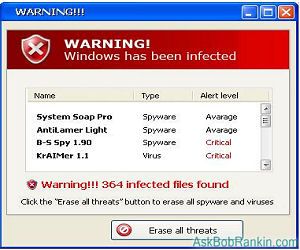
Over in the Geek Choice office,? one of the more common problems clients ask us to assist them with are phony solicitations for anti-malware programs. When browsing the internet, users encounter bogus virus and spyware alerts that prompt them to input personal information:
Credit card #
Checking Account #
Social security #
Address and telephone #
These are more commonly referred to as “Phishing”viruses. Understandably, many of them are concerned about surrendering such sensitive information, worried that it?ll be used for purposes other than facilitating the purchase of software that will protect their system against malware.
Well, they?re right.
Our clients will? happen upon a website that spawns a number of pop-ups alerting them to the presence of viruses and spyware,? ending with a solicitation for the purchase of? non-existent anti-malware software. In response to these pop-ups, users usually attempt to close the windows, resulting in the emergence of even more pop-ups.
One of the more notorious nuisances of this sort is Antivirus 2009. Masked as a legitimate program that removes viruses, this annoyance infects the client?s system with spyware, inundating them with pop-ups that insist that they purchase an ?upgraded? version of software that doesn’t exist.
Similar bugs go by the name of:
Winantispyware
Antispyware Pro XP
Anti-virus Lab 2009
If you?re ever met with one of these pop-ups, do NOT click on anything ? do NOT close the window, click on ?No,? or type in a single field. If you?re taken to another website, do NOT click on any of the links.
Instead, Press CTRL-ALT-DELETE, which will bring up your task manager. When reviewing the list of processes, you will notice one that is linked to your internet browser. Highlight that process and click on ?End task,? a button located at the bottom of your task manager window. This will close your internet browser, including any pop-ups it has spawned.
While the pop-ups are momentarily done away with, simply terminating your internet browser will not completely solve the problem, as the source of the issue remains. If left unaddressed, the spyware will continue to see that you’re harassed by pop-ups each time you use the internet
I was not able to go to this year?s CES but I have been following it with much anticipation and I have found one thing that I wanted to blog about today. There have been many different news sources covering CES and tons of great information. One thing that stood out to me that I have been very interested in is 3D printing. Awhile back I saw a program about 3D printing foods.
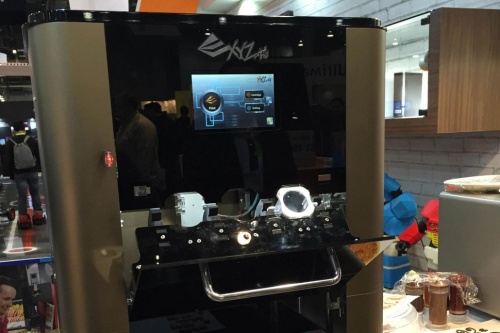
Well at CES 2015 the XYZprinting Company which was founded only in 2013 is bringing the future of food to us now! The food printer which is actually set to release in 2015 for around $2000-$3000 is able to print all types of food and even in different shapes!
From the reports I have seen the printer made candy and cookies made in shapes of dinosaurs. Even pizza made in the shape of a heart! Now all of these items will still need to be cooked but the fact that it can make this is amazing.
The printer has 3 chambers for the printing. They have an extensive amount of items that can be put into the chamber to create some awesome items. From the looks of it now however only baked goods will be able to be created on this device. So cookies, cake decorations and pizza are the biggest items that were shown off at the printing booth. They also showed printing designs on items like cakes and even toast with the chocolate dispenser cartridge in the printer.
With cars that will be powered by hydrogen and drive themselves it is not a surprise that we would be able to print our own food. I am just excited to see what these printers will mean for the food industry most of all bakeries. To be able to take something could take days to craft and sculpture for a cake could not just take hours with these printers. I look forward to see them on the market at the end of this year who is purchasing them. Enjoy the clip below as it will give you some more insight on how the 3D printer was shown off at the CES 2015 booth.
The car industry has had many new innovations over the years no so spectacular than the self-driving car. No all of the prototypes have actually been from tech companies and not actual car companies. Google came in as the first to really put a dent into the self-driving car. Now Mercedes has released not only a self-driving car but fueled by hydrogen. At CES 2015 Mercedes introduced the F 015 Luxury in Motion vehicle.
The car comes in with specifications at 17 feet and 5 feet high, with 26-inch wheels that are actually pushed to the far corners of the car to maximize the space. The seats are pedestal that rotate 30 degrees when doors are opened to you can just step out of your car instead having move to your side to do it. It can also rotate the other way so you can speak to the person directly without having to turn your head.
Now the car can actually be manually driven if you so desire.?? But auto-pilot mode does have a very interesting feature that will let pedestrians know it?s safe to cross the street ? the LED lights placed in the car?s grill light up, projecting an actual cross walk on the street. We have a video that shows off all of the feature of the car.
All I can say is that this car is a wild dream and the fact that it could even be on the market in the near future is really crazy and out this world sci-fi. Movies like I-Robot and Time Cop have shown self-driven cars but I never thought it would come to reality. Not only does it drive itself but it also uses a source of energy that is no harmful to the earth which is another plus. The one question I have is what happens if these parts malfunction and would we have major chaos on our hand if it did? Courtesy of Geek Choice, Enjoy the video below to see all of the features of this amazing car in action on the show floor of CES 2015.
After looking at nothing but rendered images for the past few years,? seeing real footage of Apple’s new spaceship of a headquarters is a little bit surreal. Geek Choice got a peek at the building’s footprint last summer, but a new clip shot with a drone in 4K really shows the building taking shape. And WOW is this thing massive!
The video comes from a YouTube user flying a Tarot 680Pro Hex with a GoPro Hero 4 Black over Cupertino. You can not only make out the massive spaceship shape of the building but also see the floors being laid. The scale of the whole project makes the giant, heavy-lifting cranes feel like my son’s toys. The scale is further demonstrated by the very little homes surrounding the new Apple HQ.
Of course, it will still take some time before we see the finished Norman Foster design completed in all of its green-friendly glory. Progress on the construction of the complex makes the impossibly futuristic project feel real in the meantime. Real big. The only question that I have, is how can I get a job there? This structure and environment is rumored to be like working for Google, except with way better toys! I can’t wait to see this structure finished and head out to California to check it out first hand, stay tuned for updates as they come out!
The safest thing you could possibly do on New Year?s Eve is not drink, not go out, not do anything.?You?re probably going to go out, anyway.?You?re probably going to go to some party and you?re probably going to drink. A lot. You?ll dance terribly. You?ll tell someone that you love them. This person is someone you do not love.
New Year?s Day is also the worst day for drunk driving accidents. According to the Insurance Institute for Highway Safety, Over half of all fatal accidents on New Year?s Day happen in the early morning hours and with drivers?with a blood alcohol level over .08 percent.
We hope you don?t make an ass of yourself and we hope you don?t try to drive while drunk. But just in case you do have a bit too much to drink, here are some?tech tools to help you save yourself from your drunk self this New Year?s Eve:
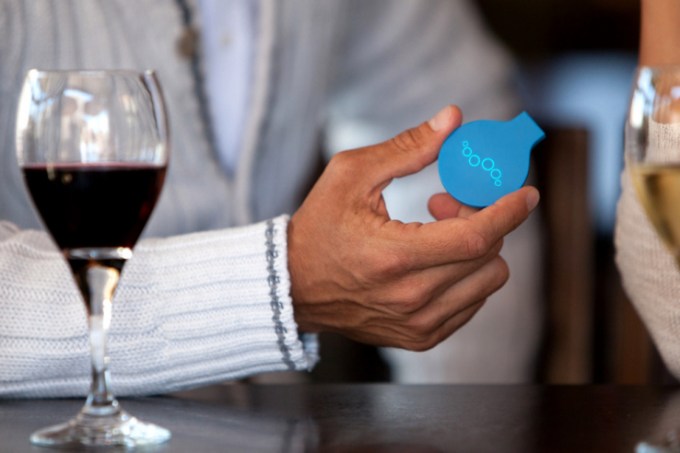
Uber surge pricing might make you feel like you?re forking over what?s left of your rent money on New Year?s but it?s worth taking that or a cab home if you are too drunk to drive. Breathometer helps you know definitively if you are too?inebriated to drive by blowing into either the wireless or original breathalyzer device and then testing your BAC level. For $50-$100 plus a free app, it?s cheaper than most breathalyzers out there.
Hint: if you are having trouble navigating through the testing process, you are too drunk. Seriously, test yourself before you even think of getting behind the wheel.
Drunk texting is one of the more incriminating things you can do while intoxicated. Someone else has the evidence of your embarrassing moment.?You might find yourself drinking more than you planned and then whipping out your smartphone in the corner of the room at a New Year?s Eve party and?texting someone?incoherently.
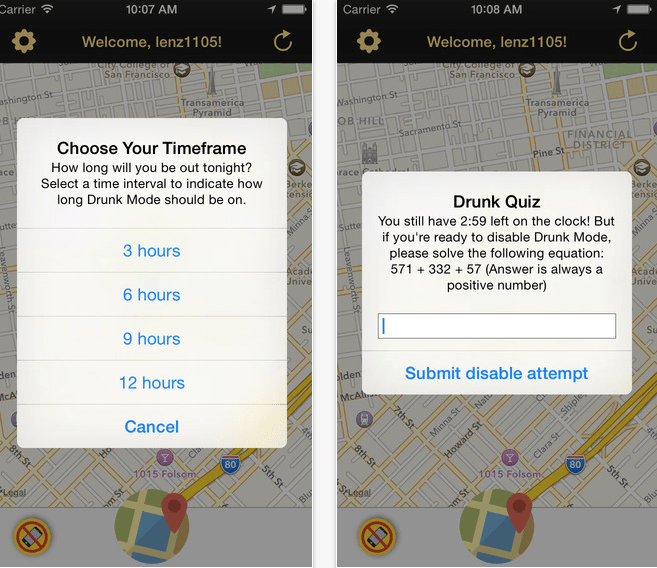
There are several apps that attempt to prevent you from texting while drunk. Drunk Mode hides certain people from your contacts list for up to 12 hours when you tell it you?re about to go drinking. It also helps you locate your drunk friends with the ?Find My Drunk? feature. And just in case you can?t remember a thing, the ?Breadcrumbs? feature helps you retrace your steps, your delirious, embarrassing steps from last night.
Remember when we told you not to drive drunk? Well, this device will make sure you don?t. It?s?a?member of?ignition interlock technology and it is normally geared toward those who have a problem with drunk driving. A?third of all drivers arrested or convicted of driving while intoxicated?are?those with a previous record, according to the National Highway Traffic Safety Administration. California State Senator Jerry Hill has a proposal in the works to require all convicted felons residing in the state to have one of these devices in their car.
The device allows the driver to turn on the ignition in their car only if they blow a BAC below the legally required limit to drive. It?s also pretty pricey.?These devices run anywhere from $500-$1600 and are usually installed by a car dealership.
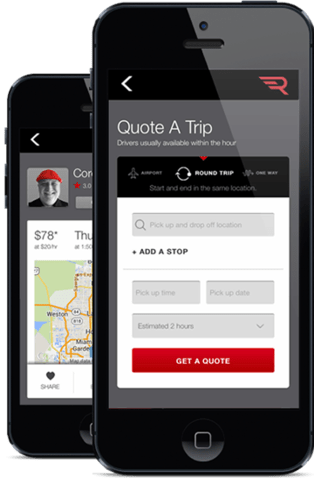
You drank too much, you know you shouldn?t be driving?but you?don?t want to leave your car where it?s parked for whatever reason. Do not drive! For about $40 + $2.65/mile,?StearClear will hire someone?to drive your car for you. It?s possibly more expensive than a cab (on any night besides New Year?s) but cheaper than getting your car towed. It promises not to ?hyper inflate or invoke surge pricing on weekends or peak travel times so this may be a good alternative to Uber.
This is a similar service to StearClear but costs about $35/hour + $2.40/mile. It?s made for corporate executives but can be used as an alternative to get?you or your drunk friend?s car?home safely, too.
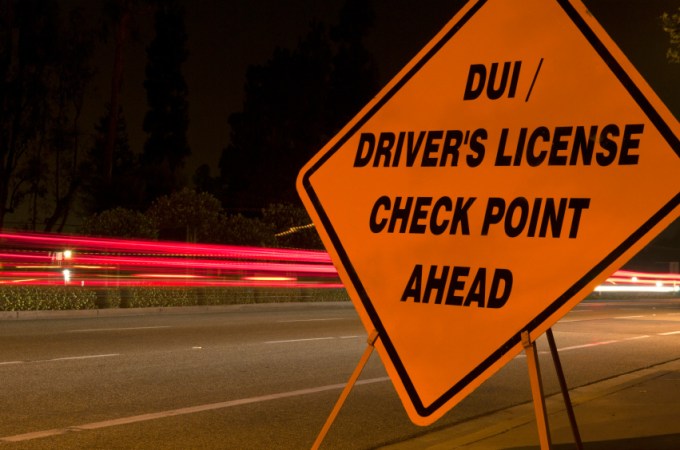
If you do happen to get behind the wheel after drinking and you happen to live in L.A. there?s an app that will alert you to DUI checkpoints. Mr. Checkpoint says it helps prevent drunk driving and wrongful arrests. The founder tells us , ?I personally have been wrongfully arrested for DUI and sued the city.??To?be clear, this app?alerts you to the checkpoint. Drunks can use it to avoid getting arrested,?spending the night in jail (or longer) and handing over thousands in fines. How it prevents drunk driving is a mystery.
One day we will have self-driving cars and possibly built-in?alcohol detection systems in all our technology. For now we have apps and devices that require you to take responsibility for your actions on your own, before things get out of hand. But people keep on being people and not heeding the warning signs or taking measures to prevent themselves from acting like idiots. Consider this post a PSA and stay safe out there.
All of us Geeks in the tech community HATE Internet Explorer with a passion. Hell, I’ll download Safari on my PC before I’ll use it. I’ll switch back to dial-up and use a Net-Zero browser before you see IE on a computer that I own. Apparently Microsoft has made it’s own New Year’s Resolution, to rid the world of IE! In comes Spartan,? an entirely new, light-weight browser that should be able to compete better with Google Chrome and Mozilla Firefox. Sticking with their obsession with the Xbox phenomenon “Halo” to theme all of it’s new products (“Cortana” is their version of “Siri”), more than likely to appeal to the younger audience.
Spartan will make it’s grand entrance in 2015 coupled with Microsoft Windows 10, and although they aren’t “replacing” IE, lets be honest, Internet Explorer 11, should be the last iteration of that browser. Internet Explorer has been losing market share among computer browsers for years (it?s at about 58 percent today, according to NetMarketshare.com, compared to more than 90 percent 10 years ago), and browsers from Apple and Google dominate the mobile market.
Spartan should support extensions, and will more than likely be using an updated version of the Trident rendering engine, which means it should be able to go blow for blow with Chrome and Firefox. On January 21st, Microsoft plans to show some of the new features of Windows 10 and in all likelihood, we should get a peak at Spartan. Unless the software isn’t ready yet, in which case they don’t need Spartan’s first appearance to be riddled with a bug, or a crash, which would be fatal to the project.
Windows 10 is designed to run on many different devices, including desktops, laptops, tablets, and phones. Microsoft?s goal is for the user to be able to have a familiar experience no matter what type of devices they?re using, and to that end, if ?Spartan? is indeed under development, we?re likely to see both desktop and mobile versions in the end. Internet Explorer 11 is already available for Windows computers, tablets, and phones, so the two browsers will probably coexist for the foreseeable future.
Internet Explorer made its debut in 1995 as part of the Windows 95 operating system. Microsoft hasn?t built an entirely new browser since then ? all its focus in that area has been on keeping Internet Explorer up to date ? so a made-from-scratch ?Spartan? would be a big deal for the company and for customers.
And maybe Microsoft wont have to deal with these memes anymore..
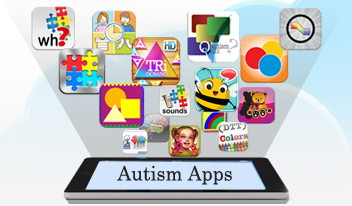
It?s no secret there are many more cases of diagnosed autism in children today. These children need much more attention in order to overcome the challenges that they face with this disorder, and now the old saying ?There?s an app for that,? will allow parents to use apps in order to assist their children in a whole new way.
Brain Power, a Cambridge, MA, start up, has developed Google Glass apps to help assist autistic children with developing their social skills, and communication skills, while providing much needed feedback to their parents, teachers, or caregivers. Developed by neuroscientist Ned T Sahin, Google Glass (Empowered Brain Suite for Autism), focuses on the use of games and paly in order to teach autistic kids to interact with their parents and others. Apps helping autism is kids will not only aid children and their caregivers, but also assist and encourage autistic kids with making eye contact, and also give teachers and parents feedback on how well the children are engaging with other by utilizing social engagement monitors. This is crucial when evaluating a child?s progress.
Google Glass is an ideal app helping autistic kids, as it has a chip which enables head gestures, which then allows data to be recorded on how often the children are engaged with their parents, and how much progress they are making with looking at their parents or other caregivers. Google Glass also plans to explore language in the future, by identifying an object, then speaking it through an ear bud that the child wears.
Needless to say, using play, games, and fun activities with children has always been a valuable educational tool, and it has now become even more useful when trying to encourage children with disabilities. Way to go Google Glass! We here at Geek Choice salute you! Smartphone apps have now become a tool that can change the life of a child with disabilities, and improve how they function in life later on.
New Years Resolutions are everywhere this time of year. Everyone else makes them, but when it comes down to actually doing it, people rarely follow through. Those of us that frequent our local gym, will have it inundated with people for the first month, maybe two,? and then like magic, everyone is gone. So why don’t people just make New Years Resolutions that they can stick to? Things that are easy, and that don’t take a ton of your valuable time. Well, here at Geek Choice we have compiled a list of New Years Resolutions for all of you to help your PC thrive in 2015! And if your computer and everything on it is fast and safe, then it will save you time, and potentially a lot of money. Without further ado, here is the list
7. Viruses, spyware, malware, adware protection
Listen, most people have anti-virus software because it comes with virtually every computer out there. But do you have Anti-Malware on your PC? How about Anti-spyware? Probably not. Geek Choice has several solutions to this problem that we can put on your computer, and the best part is that the software is free!
6. Maintenance Checkups
I know, I know, nobody likes to schedule to fix their computer. But checkups are important. So many people who call me up with a dead computer that they haven’t had serviced in 5 years. What if you didn’t take your child to get a check up for 5 years? Sounds outrageous right? Same thing with your computer. That could be all of your family memories on that computer, or your entire business database, gone because you didn’t see a problem coming. A computer should get a thorough cleaning and tune up every 3 months to keep performance optimal. Simple checkups can increase the average computer life span by up to 4 years. Geek Choice can set you up on scheduled maintenance calls for the entire year, all at once! And you can always reschedule at no cost if something comes up!
5. Use Better Passwords on your computer
I’m sure your dog is cute, and is a great companion, but he’s a BAD password. Most hackers who get into your computer can find personal information, like your pets name. And when they go to steal your email address, or your bank account info, you might as well have not even set a password. You want there to be 3 variables to your password, a capital letter, lowercase letter, and numbers, but please don’t just do R4m35eS, they’ll try that too. Combine two things to make your password unguessable, like your dog and your birth year backwards. My birth year is 1982 so my password could be this: S2e8se9ma1R, now that’s a password! (FYI that’s not my password)
4. Archive your old emails
For you outlook users, your inbox/outbox for your email can look like the warehouse from Indiana Jones. Filled with so many items that you’ll never find anything. Outlook has an auto-archive function that will archive anything that is older than a certain amount of time, that you can dictate. Set it once, and then forget about it! The best part is that if you need to view the archive emails, they will still show up when you use the Outlook Search feature.
3. Watch what you post on social media
Listen, we’ve all done it, had a bad day at work and then go home and blow up Facebook about how much your boss’ management style reflects that of Adolf Hitler. The problem is, when you go to leave Hitler’s company, your new potential employer is more than likely going to find you on Facebook before he hires you, so he can see what he may be getting himself into. Be careful what you post online, there is no escaping something once its on there…
2. Be careful where you surf on the web
Seriously, this should be self explanatory. Don’t go to a site that you don’ t know what it is. And if you do go to a bad site and pop-ups and people saying you have viruses comes up, CALL GEEK CHOICE FAST!? Once a virus is on a computer the longer it sits there the more damage it can do. Turn the PC off, and give us a call 800-433-5435.
1. BACKUP ALL YOUR FILES
This last one is so simple, so important, but almost always not done. People think backups take up a lot of their time, or that they are expensive. But Geek Choice is here to tell you they are neither, they are just lifesavers. 10 times a week some poor soul wanders into my office telling me their hard drive is dead, and they’re whole life was on it. I ask if they have a backup, and they give me the frowney face. Backups are really cheap, and for the most part can be set up 1 time, to perform backup either daily, weekly, monthly or ever quarterly. And you can set the backup to occur at 3AM while you sleep, so you never have to deal with it! Geek Choice can get you on a yearly backup plan for UNLIMITED DATA at only 59.95! Just give us a buzz and Geek Choice can help
We hope you have enjoyed our New Years resolution blog, feel free to follow us on Twitter @geekchoice, and like us on Facebook Here to get all of our daily blogs to keep you updated with everything technology from cell phones, gaming systems, to computer tips and hints!