
Feb 11, 2017 | News
What do Russia, President Trump, and Snowden have in common? They’re all part of a move that could bring whistle-blower Edward Snowden back to the US. But I doubt it’ll be under happy circumstances. At least not for Snowden. Russia, President Trump, and Snowden! Oh my!
So according to a story by International Business Times, Russia considers giving Snowden to President Trump as a ‘gift’. Yes, there is a movement to pardon Snowden. In fact, there’s a website dedicated to the cause. But I don’t think this is what they want. President Trump refers to Snowden as a traitor and a spy. In one tweet, Trump even suggested the most severe penalty for Snowden. Furthermore, the report suggests Snowden’s mixed feelings for the move. On one hand, Snowden says it proves he’s not a spy. But he says the move could be a human rights violation.
All of this comes from a US intelligence report. But none of this is set in stone. Edward Snowden is living in Russia. He’s been there since 2013. That’s when he let America know the NSA had access to all our tech activities. His findings also said tech companies were in cahoots with the NSA. Most tech companies vehemently deny this. A permit lets Snowden stay in Russia until 2020. So why are these stories coming out now?
Since the election, I’ve noticed President Trump try to mend fences with Putin. In some cases, Putin seems to be doing the same. ?Why is this important? Well, online privacy is a common concern in the IT service industry, especially here in Boston IT support. Now I appreciate these two nations for trying to work their differences out. In fact, I’m happy they are. I’d rather have Russia as an ally than as a foe. But at what cost? Are better US/Russia relations worth a man’s fate and freedom?
Feb 10, 2017 | scam, Security, Smartphone
About a month ago, I talked about phish scammers targeting Google emails. But recently, police officers across the country warn us of another scheme. They give us this alert: Phish scammers target cell phones.
So this is how they do it. The phish scammers call cell phones. Then, they ask the person, “Can you hear me?” The person says ‘yes’. Then the scammers record the ‘yes’. Furthermore, they use that unintentional ‘yes’ to authorize charges you really didn’t agree to. In this day and age, you need more than a recorded yes to make purchases. That should be the case, at least. But they can use the world ‘yes’ to get fake permission on charges.
But keep in mind some of these phish scammers already have credit and debit card numbers. In fact, there’s no telling what info they might have. So they can use a combination of a fake yes and stolen info to get goods on your dollar. That’s the danger police fear. In fact, that’s the danger computer repair experts and security experts fear. So what do we do about it?
Don’t answer any ‘unknown telephone calls’. Just let it go to voicemail. And if they don’t leave you a voicemail, you know how suspicious the call was. In fact, don’t answer any call unless you know the number. In the 1980s, there was little way to know who is calling. But nowadays, just about everyone has caller ID, no matter how old your cell phone is. Put it to good use. Check your bank statements and other documents…often! And if you do find something wrong, contact your financial institution and/or law enforcement immediately! Here in our Boston computer service shop, we tell customers this face to face. And of course, if they get pushy for that yes, then it’s okay to hang up. What tips do you have to keep the good guys safe?
Feb 5, 2017 | Uncategorized
Last month we wrote about the Gmail phishing scheme, and it looks like that’s not the only one to watch out for! News has been popping up all over the internet to watch out for the newest PayPal phishing scheme. Most phishing scams simply want to steal your login information to make changes to your account or steal your payment information but this one is proving more sinister. It seems the scammers behind the current PayPal phishing scheme are trying to get enough information to steal your entire identity.? Most consumers are going to be asking what exactly are these scams? How do I spot one? And how do we protect ourselves?
The PayPal phishing scheme is much like most phishing schemes in most ways. Consumers are receiving an official-looking email claiming that their account use has been limited because of “unusual activity”. In the email they are advised to click on a link to contact PayPal in order to resolve the issue. Once the user clicks on the link they are brought to a website where they are asked to log into PayPal, then they are redirected to an official looking PayPal warning page, which explains why their account was restricted and how to get the account back. At this point the scammers already have your PayPal log in information, but in order to ‘regain access’ to your account they require you to fill out another page which includes questions like your name, address, mother’s name, and social security number, things that PayPal never requires. Because of the questions these scammers are asking, it’s easy to assume they want more than to steal your credit card information and wrack up a load of bills on you. They want to steal identities!
The good news is there are ways to protect yourself and you don’t have to be all that tech-savvy to do it! The most effective ways are simply to use common sense and stay vigilante when you go through your emails. A lot of phishing scams are easily caught just by paying attention to the emails themselves. An email that is part of a phishing scheme will usually have small grammatical and spelling errors. Errors that big companies would never allow in the emails they send out. Also, if you notice an email address you don’t recognize, you’re better off marking it spam than opening the email and clicking on it’s links, even if it does mention issues with your accounts. The safest way to be sure what’s going on with any account you may have on any website is to go directly to the website in question. Instead of clicking on links to the site in a questionable email, go to your address bar and type in the link to the direct website. If your account has an issue, you’ll be notified when you try to log in.
Our job here at Geek Choice is more than just to be a place you can come into to get your laptop fixed. An important part of our job is to keep our customers and the general public up to date with what scams, schemes, viruses, and malware to be aware of. The more people who know what threats are out there and what to look for to spot a scam, the less these cyber criminals can take advantage of. The best way to minimize the threat of being fooled by a scammer or getting a bad virus is to be pro-active. Stay educated on threats, change your password regularly, keep from saving any important account passwords in your browsers, and don’t open emails you are wary of.? Also, for simple website issues always remember that most companies have IT support or customer representatives you can contact and with any questions you have. And if you ever find yourself having a bigger issue, like a virus, call on a professional. Bring your computer into a computer service shop, or call a mobile company like Geek Choice for in home computer repair.

Jan 20, 2017 | News
Today, Donald Trump officially becomes the 45th President of the United States. But how do Silicon Valley leaders handle this? Because they were Trump’s biggest critics. In fact, Peter Thiel was virtually his only Silicon Valley ally. So let’s look at this strange dance between Silicon Valley and Trump and Inauguration Day.
On one hand, there’s uncertainty. And plenty of it. Internet columnist and businessman Jason Calancis went on CNBC. He talked about this uncertainty, saying, “”Nobody knows what is going to happen …it’s complete chaos.” He also criticized Trump’s infamous tweets. He wishes the incoming US President would use tweets to inspire people, especially as big problems arise. But he expects Trump to do some amazing things while in office.
Remember the meeting President Trump had with Silicon Valley leaders? It did some good. Amazon CEO Jeff Bezos, once a staunch critic, now wishes him great success. So while not all tech leaders go that far, most are at least moving on. There’s no longer a fear of tech apocalypse. In fact, business in Silicon Valley must be booming. Because of the eight wealthiest men in the world, more than half are tech leaders.
But I’m sure it will be no love fest. Issues such as net neutrality and government surveillance will come up. Let’s not forget Apple’s beef with the incoming President about that. But at least they seem to be cordial. That’s good for everyone. As far as Silicon Valley and Trump and Inauguration Day, I’m not sure who is in Washington, DC right now. But I know this has been the most contentious and intense political season I’ve ever lived through. In fact, it’s still a common topic in our Boston computer servicing shop. So what will become of the new relationship between Washington and Silicon Valley? I don’t know. I just hope some positive come out of it. Hopefully they can work it out. If they can, doesn’t that bring hope for the rest of us?
Jan 19, 2017 | Security, Smartphone
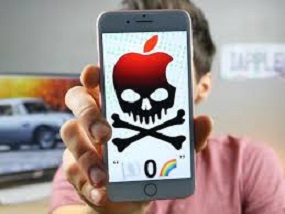
Technology can be efficient and life saving. It can also be scary. ?Ever get a message and your phone just freezes? So there’s a message that’s doing just that. It contains a combination of three emojis. It’s the smartphone freezing emoji: consumer alert!
Consequently, this bug is especially bad for Apple phones. I’m talking about those with iOS 10 systems or higher. In fact, there are no cases of this thing hitting iOS systems lower than 10. ?One needs a text message. Furthermore, that message contains a white flag, zero, and rainbow emoji. When someone sends this combo in a message, it freezes, even crashes, the recipient’s smartphone.
But wait, there’s another reason for this crash. Apple is trying make a rainbow flag emoji. But it isn’t working. In fact, all this does is freezes the smartphone. Let’s say someone really wants to send the smartphone freezing emoji. They would use the notes app to do so. The freeze lasts only a few minutes. It wouldn’t black out, but the iPhone just would do nothing for several minutes. But it’s not just Apple phones. This smartphone freezing emoji bug hits Android devices, too. It’s just not as often.
We can thank You Tube channels Everything Apple Pro?for breaking this warning. Apple is usually good with fixing this thing. But some people will keep doing this again and again just to spite. If they do, then you might consider removing them from your smartphone altogether. And of course, our computer repair experts are good at anything smartphone. This includes everything from zapping phone bugs to screen replacements. I’m glad Apple has an easy fix for this. But what they should do is fix their flag situation. If they want rainbow flag emojis, then they need to do a better job. What if these freezes get more severe? Are these nuisances worth it, for an emoji?
